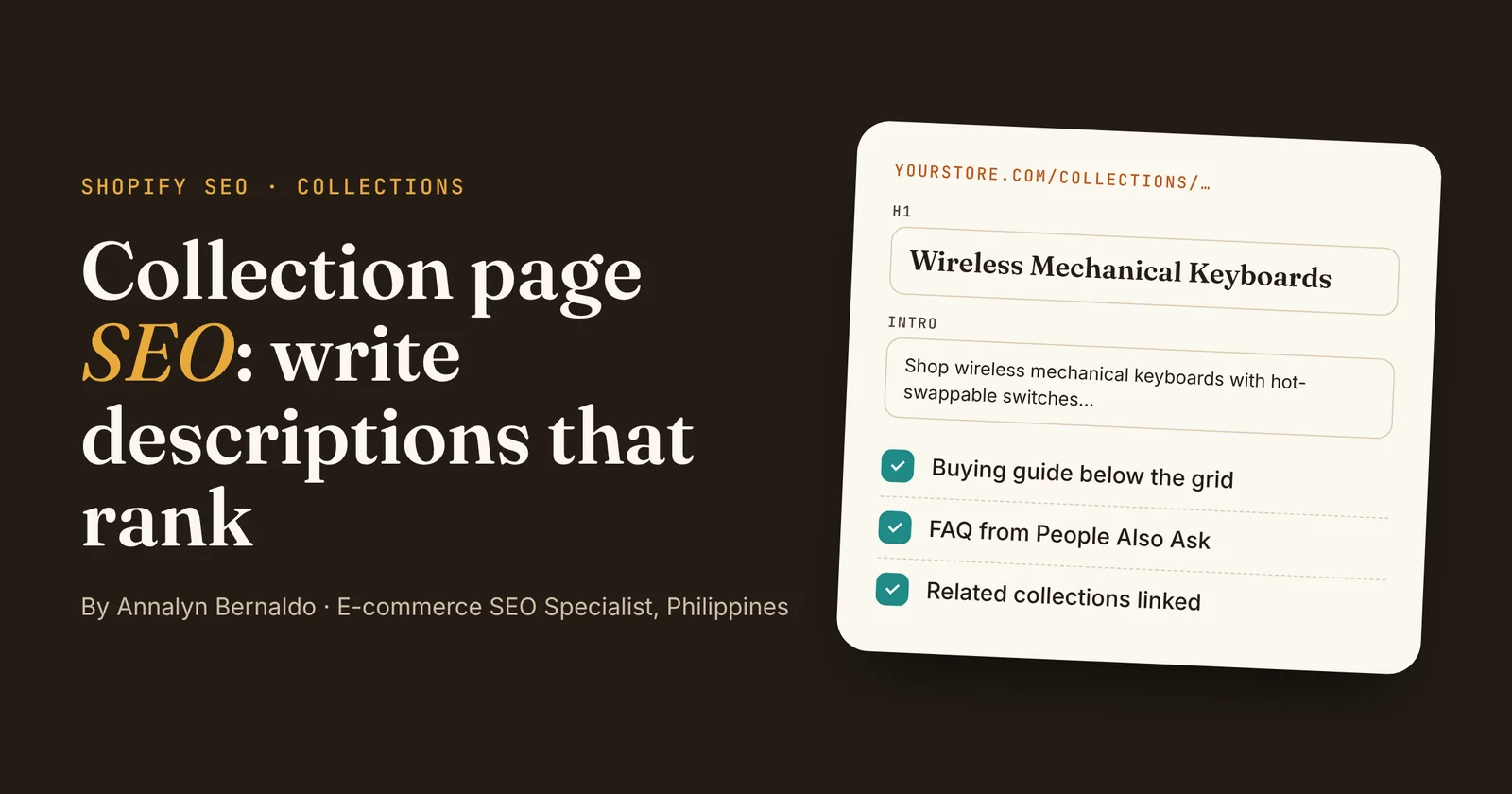
- Give every collection one main keyword that shoppers search for, and use it in the title tag, H1 and first sentence.
- Keep the intro above the products to one or two sentences. Put the real ranking copy (a buying guide, comparison table and FAQ) below the grid.
- Link to the collection from your menu, related collections, product pages and blog posts.
- Avoid near-duplicate collections and collections with only a handful of products.
Collection page SEO is the fastest way I know to grow organic sales for a Shopify store. Collection pages target broad, high-intent searches like "wireless mechanical keyboards" or "baby carriers for newborns", yet most stores leave them with a one-word heading and a grid of products.
In this guide I'll walk you through the exact steps I use on client stores, from choosing the keyword to writing the buying guide, plus a template and a before-and-after example you can copy.
What is collection page SEO?
Answer: collection page SEO is the work of optimizing a store's category pages (called "collections" in Shopify) so they rank on Google for category searches. It covers the keyword, title tag, meta description, H1, on-page copy, FAQ and internal links.
Product pages usually rank for searches that name a specific model. Collection pages rank for the broader searches shoppers make when they're still comparing options, which is why they often bring in more traffic per page.
Why collection pages matter more than you think
- They match how people shop. Someone searching "wireless mechanical keyboards" wants to compare several options, and Google usually shows category pages for that kind of search.
- One page can rank for many keywords. A good collection page ranks for the main term plus variations like "best wireless mechanical keyboard" and "bluetooth mechanical keyboard".
- They pass authority to products. Every product in the grid gets an internal link from a page that Google crawls often.
Step 1: Pick one main keyword per collection
- Search the term on Google. If the top results are product grids, it's a collection keyword. If they're articles, it belongs on your blog instead.
- Choose the term shoppers actually use. "Wireless mechanical keyboards" beats an internal name like "Cordless Range".
- Don't create two collections for the same search. Shopify's own guidance is that if Google returns mostly the same results for two collection names, you probably only need one (Shopify).
- Avoid collections with fewer than five products. They give shoppers little choice and often look thin.
Step 2: Write the title tag and meta description
In Shopify, open Products → Collections, choose the collection and scroll to the search engine listing section at the bottom. Click the pencil icon to edit the page title, meta description and URL handle.
- Title tag: start with the keyword and keep it to about 60 characters so Google doesn't cut it off (Shopify Help Center). Example:
Wireless Mechanical Keyboards | Hot-Swap & RGB | Brand - Meta description: about 150–160 characters, with the keyword and a reason to click, such as range, shipping or a guarantee. It isn't a ranking factor, but a good one earns more clicks.
- URL handle: short and keyword-based, like
/collections/wireless-mechanical-keyboards. If a collection already ranks, don't change its URL without adding a redirect.
Step 3: Use a keyword-led H1 and a short intro
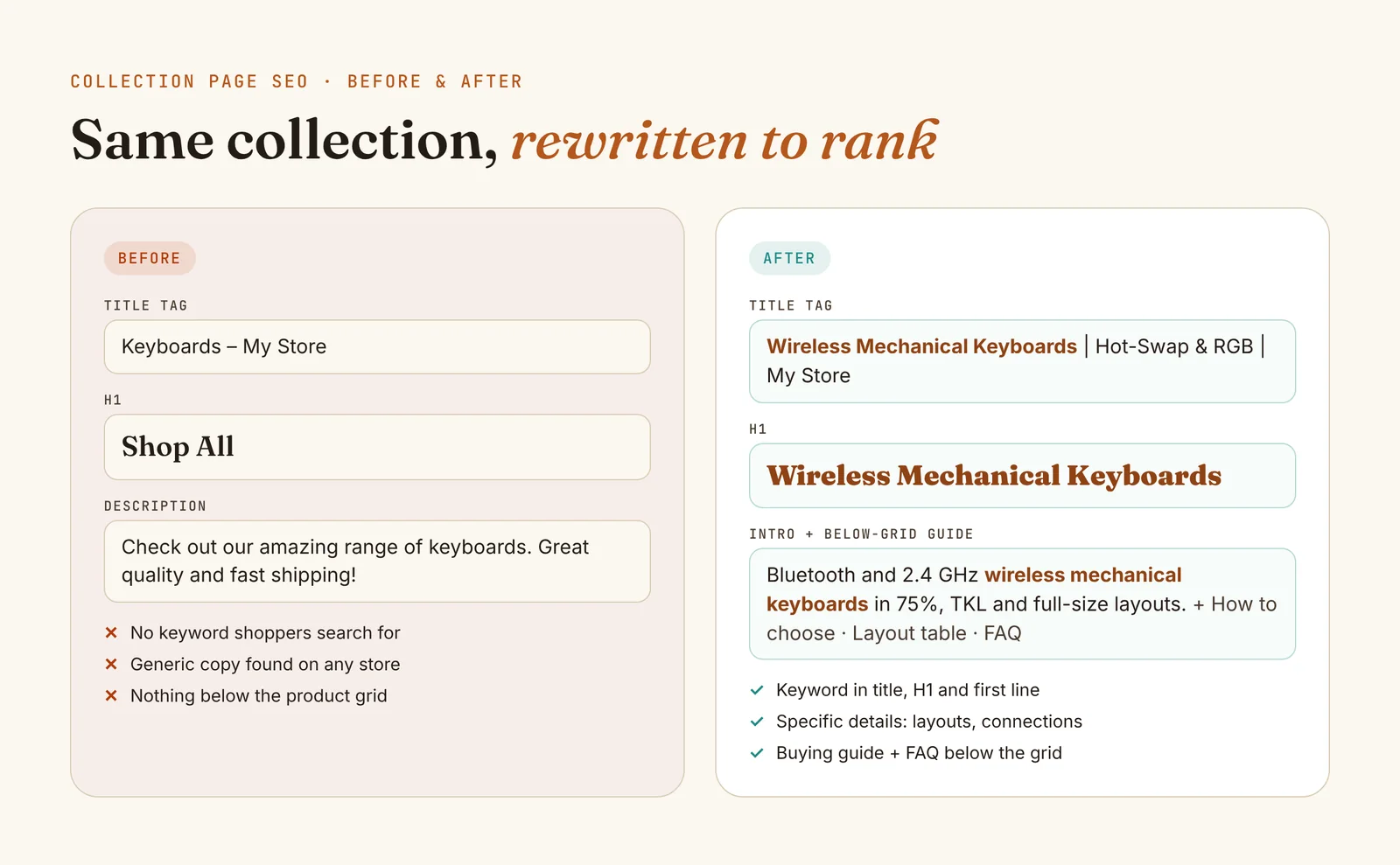
The collection title becomes the H1 in most themes, so make it the keyword: "Wireless Mechanical Keyboards", not "Shop All" or "New In".
Keep the text above the products to one or two sentences, which matches Shopify's own recommendation. Use the keyword once, add a useful detail (layouts, materials, sizes) and let the products appear without scrolling.
Step 4: Add a buying guide below the product grid
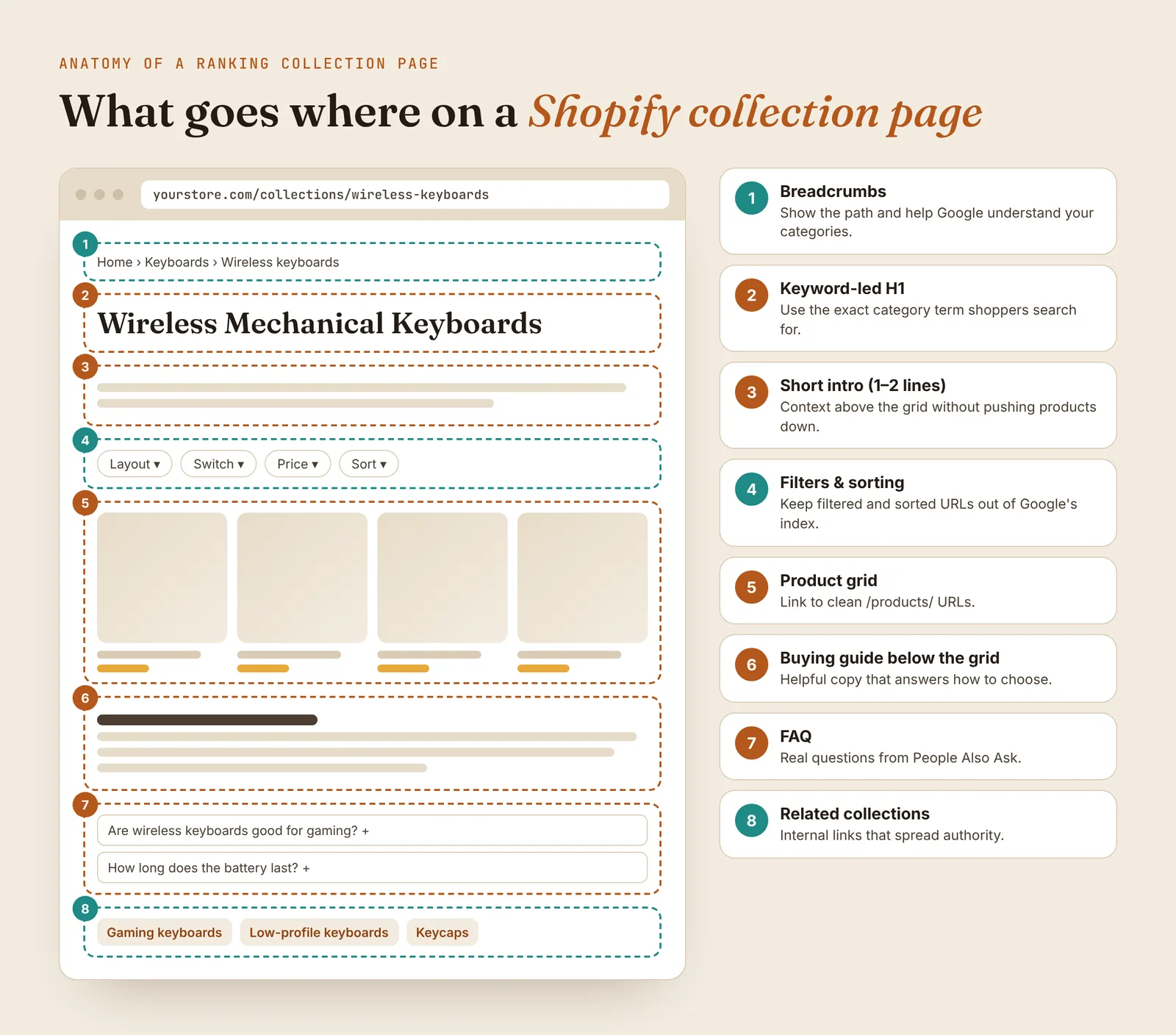
This is where most of your ranking copy should go. Shoppers who scroll past the products are still deciding, so give them what they need to choose:
- How to choose: the two or three factors that matter most, such as layout, switch type and connection.
- A comparison table: options side by side, for example 75% vs TKL vs full-size.
- Who each option is for: gamers, writers, travelers, small desks.
- Links to the most relevant products and to a deeper blog guide.
Length depends on the category. For most collections, 250–600 words is enough to be helpful without padding.
Tip: Many Shopify themes show the collection description only above the grid. A developer can add a below-grid section that reads from a collection metafield, so each collection gets its own buying guide.
Step 5: Add an FAQ from People Also Ask
Search your keyword and open the People also ask box. Pick three to five questions shoppers really ask, such as "Are wireless mechanical keyboards good for gaming?", and answer each in two or three sentences. Start each answer with the direct answer, which also gives your page a better chance of being quoted in Google AI Overviews.
Step 6: Link to the collection from everywhere relevant
Pages without internal links tend to struggle to rank. Link to each important collection from:
- your main menu (one or two clicks from the homepage)
- related collections ("You might also like: low-profile keyboards")
- product pages, through breadcrumbs
- blog posts, using the collection keyword as the link text
A collection description template you can copy
| Section | What to write | Example |
|---|---|---|
| Title tag | Keyword | key benefit | brand (≈60 characters) | Wireless Mechanical Keyboards | Hot-Swap & RGB | Brand |
| Meta description | Keyword + range + reason to click (≈155 characters) | Shop wireless mechanical keyboards in 75%, TKL and full-size, with Bluetooth and 2.4 GHz. Free shipping on orders over $50. |
| H1 | The keyword, as shoppers say it | Wireless Mechanical Keyboards |
| Intro | 1–2 sentences, keyword once, one useful detail | Bluetooth and 2.4 GHz wireless mechanical keyboards in 75%, TKL and full-size layouts, with hot-swappable switches. |
| Buying guide | How to choose, comparison table, who it's for | How to choose a wireless mechanical keyboard: layout, switches, battery life |
| FAQ | 3–5 People Also Ask questions, answer first | Are wireless mechanical keyboards good for gaming? |
| Related links | 2–4 neighboring collections and one guide | Gaming keyboards · Low-profile keyboards · Keycaps |
Collection page SEO mistakes to avoid
- Generic headings like "Shop All" or "Collection" that match no real search.
- Long walls of text above the products, which push the grid off the screen and annoy shoppers.
- Copy-pasted descriptions reused across several collections or taken from suppliers.
- Near-duplicate collections competing for the same keyword.
- Letting filtered and sorted URLs get indexed, which creates many thin versions of the same page.
- Changing a ranking collection's URL without a 301 redirect.
For the rest of the store, from technical setup to product pages, use my e-commerce SEO checklist for Shopify stores.
Frequently asked questions
How long should a collection description be?
Keep the part above the products to one or two sentences so shoppers see products right away. Put the longer buying guide, usually 250 to 600 words depending on the category, below the product grid.
Do collection pages rank better than product pages?
For broad category searches like "wireless mechanical keyboards", usually yes. Google tends to show category or collection pages for those searches because shoppers want to compare several products. Product pages tend to rank for searches that name a specific model.
Where do I edit a collection's title tag and meta description in Shopify?
Open Products, then Collections, choose the collection and scroll to the search engine listing section at the bottom. Click the edit (pencil) icon to change the page title, meta description and URL handle.
How many products should a collection have?
Shopify recommends avoiding collections with fewer than five products. Very small collections give shoppers little choice and often look thin to search engines.
Conclusion
Good collection page SEO comes down to a few habits: one clear keyword per collection, a keyword-led title and H1, a short intro above the products, a genuinely helpful buying guide and FAQ below them, and plenty of internal links pointing in. Start with your three highest-revenue collections, apply the template above, and check Search Console after four to eight weeks to see which new searches they're ranking for.
Sources: Shopify, Ecommerce category page SEO · Shopify Help Center, Adding keywords for SEO

Annalyn Bernaldo
Annalyn is an e-commerce SEO specialist in the Philippines who writes collection pages and content that rank #1 on Google and get cited in AI Overviews. Her Keychron article was featured by Backlinko.